If you ask ten web developers in Kampala which platform they would pick for a company website, most will say WordPress without hesitating. That reflex is earned. WordPress is flexible, inexpensive to start with, and there is no shortage of people who can work on it. But 2026 is not a normal year for the platform. WordPress 7.0 arrived in May with the biggest set of changes in years, the platform’s share of the web has slipped for the first time in its history, and security researchers are reporting record numbers of vulnerabilities.
This article walks through what actually changed, what it means for a business that simply wants a website that works, and what a sensible maintenance routine looks like. You do not need to be technical to follow it. By the end you should be able to ask your developer or hosting company the right questions.
Where WordPress stands today
WordPress is still the biggest content management system by a wide margin, but the lead is no longer growing. W3Techs, the survey most people quote, showed WordPress running roughly 40% of all websites in October 2026, down from a peak of about 43.6% in early 2025. Among sites that use any recognisable CMS at all, WordPress holds close to 59%. Shopify sits around 5.4% of all sites and Wix around 4.2%, and both are growing, while older systems such as Joomla and Drupal keep shrinking.
A word of caution about these numbers. Different trackers measure different things. W3Techs samples the top ten million sites, while others such as HTTP Archive use browser-based crawls and arrive at lower figures. When you see a headline claiming that WordPress runs a third of the web, or two-fifths, they may both be right about different samples. The honest summary is this: WordPress is the default choice, it is no longer the only fashionable one, and hosted builders are eating into the simplest websites.
Why does that matter to you? Because it tells you what WordPress is good at. It remains the strongest option when you want ownership of your site, a flexible structure for services, portfolios or blogs, and the freedom to move hosts or developers without starting from scratch. If all you need is a single landing page that never changes, a hosted builder may genuinely be simpler. Be honest about which of those two you are.
What WordPress 7.0 actually changed
WordPress 7.0, codenamed “Armstrong”, was released on 20 May 2026. It had originally been scheduled for April, and the date slipped while the team debated one of its headline features. That feature, real-time collaborative editing (several people typing in the same page at once, like a shared document), was pulled out of the release so it could be tested further. It is expected in a later version. So if you read an older preview article promising live co-editing in 7.0, it is out of date.
What did ship falls into four groups.
1. An AI foundation, not an AI takeover. The most talked-about change is a standard way for WordPress to talk to outside AI services. It is built from a Connectors API and a WP AI Client, which sit on top of the Abilities API introduced in version 6.9. In plain terms, instead of every plugin inventing its own way to connect to an AI provider, WordPress now offers one shared plumbing system. Nothing is switched on by default. A separate, official AI plugin adds optional and clearly experimental helpers such as suggesting titles and excerpts, drafting alt text for images, and creating or editing pictures. For a business, the practical reading is: you can use these tools if you want them, you can leave them off, and plugins that need AI should become easier to manage and less likely to clash.
2. A refreshed dashboard. The admin area has a new default look, cleaner typography and smoother movement between screens. It sounds cosmetic, but if you hand the site to staff who only update news posts or product details, a calmer interface means fewer mistakes and fewer phone calls to the developer.
3. More design control in the editor. New or improved blocks include Heading, Icons and Breadcrumbs, a lightbox for galleries, responsive grid layouts and the ability to show or hide a block depending on screen size. Breadcrumbs are quietly useful for search engines and visitors because they show where a page sits in the site. Hiding a block on small screens is useful for Uganda in particular, where most visitors will reach you from a phone and a large decorative banner can swallow the whole screen. A visual way of browsing revision history also arrived, which makes it easier to see what changed and roll back a bad edit.
4. A higher floor for PHP. WordPress 7.0 dropped support for PHP 7.2 and 7.3, so the minimum supported version is now PHP 7.4. That is the first increase in that minimum since version 6.6. This leads to the single most practical item in this article, covered next.
By most early accounts the upgrade has been smooth for the majority of sites, with good plugin compatibility. That does not mean you should update blindly, which we come back to in the maintenance section.
The PHP question nobody asks until it breaks
PHP is the programming language WordPress runs on, and your hosting company decides which version your site uses. The WordPress project distinguishes between the minimum version that will run (7.4) and the version it recommends (8.3 or newer). The hosting team’s guidance for new installations goes further and suggests PHP 8.4 or 8.5, with MariaDB or MySQL on current long-term-support releases.
Here is why it matters right now. PHP 7.4 stopped receiving security fixes back in 2022, so a site that merely meets the minimum is running on software with no safety net. PHP 8.1 reached end of life on 31 December 2025. PHP 8.2, which a very large share of hosts still use, reaches end of life on 31 December 2026, only weeks from now. MySQL 8.0 already reached end of life in April 2026.
If you do not know which PHP version your site uses, you can usually see it under Tools, then Site Health, then Info, then Server in your WordPress dashboard. If it says 8.1 or lower, ask your host to move you. If it says 8.2, book the upgrade for December rather than waiting for the last day. Before changing it, take a full backup and test on a staging copy, because an old plugin or theme that has not been maintained can fail on a newer PHP version. A plugin that breaks on PHP 8.4 is a warning about that plugin, not about PHP.
Security: the plugins are the problem, not WordPress itself
WordPress has a reputation for being hacked, and that reputation is unfair in a specific way. The core software, the part that comes from WordPress.org, is rarely where the trouble starts. According to Patchstack’s annual report, 11,334 new vulnerabilities were found across the WordPress ecosystem in 2025, a 42% jump over 2024. Of those, 91% were in plugins and 9% in themes. Only six affected WordPress core, and those were low priority.
Two other findings from the same research should change how you think about buying extensions. First, premium plugins are not automatically safer than free ones. Paid components accounted for about 29% of valid reports, and 76% of the vulnerabilities in them were serious enough to be used in real attacks, either mass automated ones or targeted ones. Researchers simply have a harder time inspecting paid code, so problems can sit longer. Second, speed matters. Attackers are increasingly exploiting a flaw within hours of it being made public, which means the old habit of updating “when I remember” is no longer a safe policy.
What this means in practice:
- Fewer plugins is a security strategy. Every plugin is extra code someone must maintain. A site with eight carefully chosen plugins is safer and faster than one with thirty.
- Delete what you do not use. A deactivated plugin still sits on your server. Remove it entirely.
- Check that a plugin is alive. Look at when it was last updated, how many sites use it and whether the developer answers support questions. Abandoned plugins with no fix available appear in vulnerability reports week after week.
- Use a firewall that can patch virtually. Several security plugins and hosting platforms now apply rules that block a known attack even before the plugin’s author releases a fix. That buys you time.
- Lock down logins. Use unique administrator accounts, strong passwords from a password manager, two-factor authentication, and limit login attempts. Do not leave a user called “admin”.
A maintenance routine that fits a busy owner
Most WordPress disasters are not dramatic hacks. They are the slow result of nobody owning the site. Here is a routine you can hand to a developer, an agency, or a trusted member of staff.
Every week
- Apply security updates to plugins and themes, ideally on a staging copy first for anything business-critical such as payment or booking plugins.
- Check that the contact form still delivers to a real inbox. Test it yourself.
- Glance at uptime alerts. A free monitor that emails you when the site is down costs nothing.
Every month
- Confirm that a backup exists and, more importantly, that it is stored somewhere other than the same server. A backup kept only on the machine that fails is not a backup.
- Review user accounts. Remove former staff, freelancers and designers who no longer need access.
- Read through the list of installed plugins and ask what each one is for.
Every quarter
- Restore a backup onto a test site to prove it works. This is the step almost everyone skips and the one that matters most.
- Check PHP and database versions against the support dates above.
- Review page speed on a mid-range phone using mobile data, not just on office Wi-Fi.
- Look at Google Search Console for crawl errors or security warnings.
Once a year
- Renew the domain well before expiry and confirm that the contact email on the registration is one you actually read. Lost domains are a surprisingly common cause of websites vanishing.
- Decide whether the site still matches the business. Services change, staff change, prices change.
Building for the way Ugandans actually browse
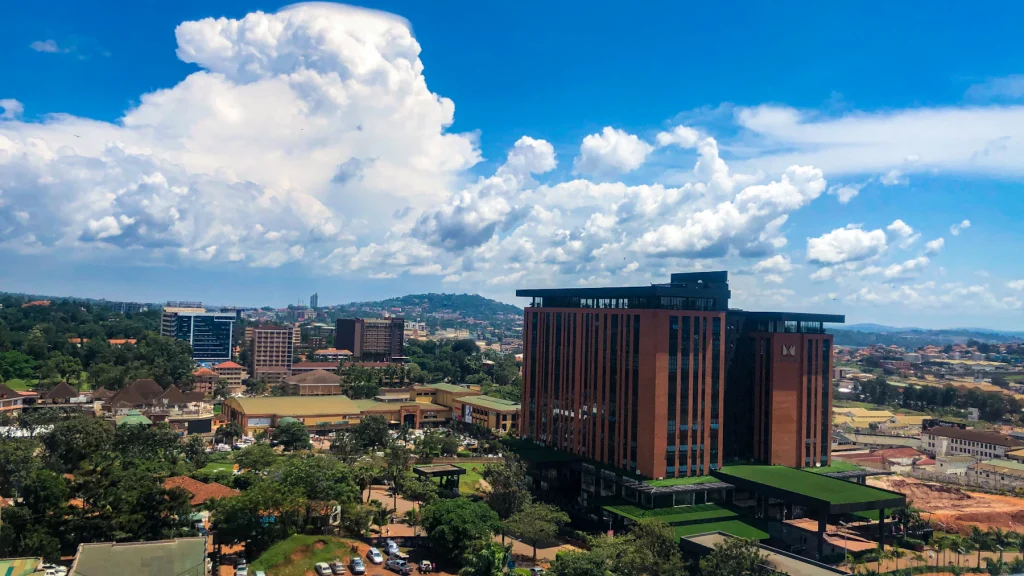
Design advice written for other markets often assumes fast fixed broadband. Your visitors are different. According to the Uganda Communications Commission’s figures for mid-2026, the country had around 49 million active mobile subscriptions, and most web traffic arrives on phones, often on prepaid bundles where every megabyte costs money. That shapes sensible WordPress decisions.
- Keep pages light. Compress images before uploading, use modern formats such as WebP, and avoid auto-playing video on the homepage. A heavy site loses the customer before the page appears.
- Put the phone number and WhatsApp link at the top. Many Ugandan customers prefer to call or send a message than fill in a form. Make that a single tap.
- Cache properly. A caching plugin or a host-level cache can cut load time sharply. Pair it with a content delivery network if your visitors are spread across East Africa or the diaspora.
- Mind the hosting location. A server close to your audience, or a global network with a nearby edge, helps. Cheap shared hosting on an overloaded server is a common reason a good design feels slow.
- Write like a person. Use the words your customers use, local place names and clear prices. Search engines and visitors both reward content that sounds like it was written by someone who knows the area.
If you plan to collect payments, treat mobile money as a first-class option and not an afterthought. Whatever plugin or gateway you choose, test the full journey from a phone, including what happens when the network drops halfway through.
Page builders and picking a theme
A large share of WordPress sites today are built with visual page builders. One tracker puts Elementor at around a third of the page-builder market, well ahead of its competitors. Builders let non-developers edit layouts, which is the main reason to choose one. The trade-off is weight: poorly configured builder sites can ship a lot of code to every visitor.
A good rule is to choose one builder and stay with it. Mixing several builders, or stacking a heavy multipurpose theme on top of a builder, is a reliable recipe for slow pages and conflicts. Choose a lightweight base theme, build your design on top, and make sure the people who will edit the site day to day have been shown how to do so without breaking the layout.
Common mistakes we see, and how to avoid them
- No staging site. Updating the live site first means your customers are the testers. Ask your host for a staging copy.
- One person holds every password. If the developer who built the site leaves, you can be locked out of your own business. You should own the domain, the hosting account and the administrator login.
- Nulled or pirated plugins. Free copies of paid plugins are a classic route for malware. If a premium tool is not worth paying for, it is not worth installing.
- Ignoring the cookie and privacy basics. If your site collects names, phone numbers or emails through a form, you are handling personal data under Uganda’s Data Protection and Privacy Act. At a minimum, publish a clear privacy policy and know where the data goes.
- Confusing a pretty site with a working one. A site that looks good but does not rank, load quickly or convert visitors into calls is decoration.
Questions to put to your developer or host
- Which PHP and database version does my site run, and what is the plan when version 8.2 reaches end of life?
- Where are backups stored, how often are they taken, and when was a restore last tested?
- Who receives security alerts, and how quickly are critical plugin updates applied?
- Which plugins are installed, and what does each one do?
- Do I have a staging site?
- If you were unavailable tomorrow, could someone else take over using the documentation you have given me?
A professional will answer these without fuss. Vague answers are information too.
The bottom line
WordPress in late 2026 is a mature platform entering a new phase. Version 7.0 lays the groundwork for AI features, modernises the editing experience and raises the technical floor. At the same time, the share of sites using it has stopped climbing, and attackers are quicker than ever. None of this is a reason to abandon WordPress. It is a reason to treat a website as a living asset that needs an owner, a schedule and a small budget for upkeep, rather than a brochure printed once and forgotten.
Get the basics right (current PHP, few plugins, tested backups, controlled access, a light mobile-friendly design) and WordPress remains one of the best value tools a Ugandan business can own. If you would like us to check which PHP version and plugins your site runs, or look after the updates for you, see our website services or get in touch.
Sources
- CMS market share 2026 (W3Techs data), Colorlib
- WordPress 7.0 Field Guide, Make WordPress Core
- WordPress 7.0 is out: the 7 highlights, Yoast
- WordPress 7.0 server compatibility, Make WordPress Hosting
- Dropping support for PHP 7.2 and 7.3, Make WordPress Core
- State of WordPress Security in 2026, Patchstack
- Report shows WordPress sites are getting hacked at faster rate, Search Engine Journal
- Uganda’s cybersecurity readiness and UCC Q2 2026 figures, PCTechMag