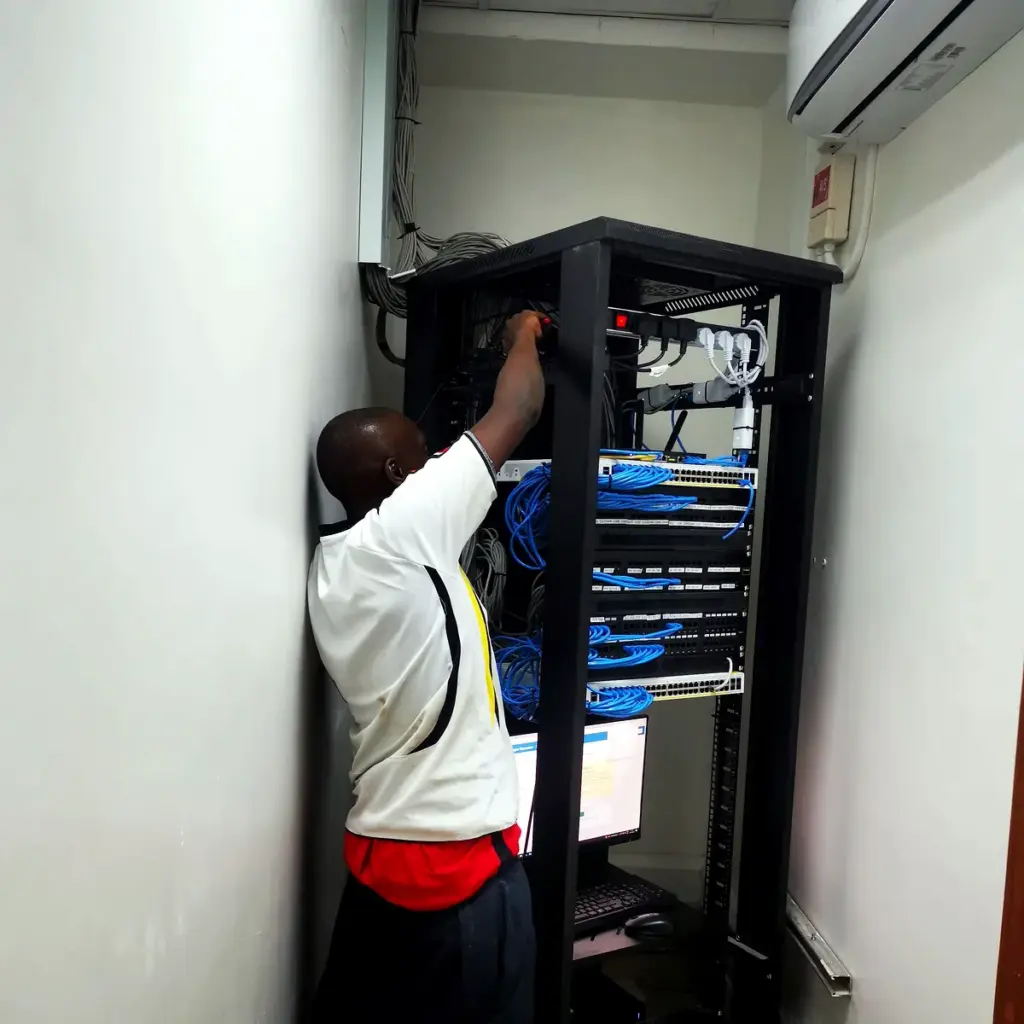
Most small businesses in Uganda treat IT support the way they treat a spare tyre: ignored until the day it is desperately needed. The printer stops, the Wi-Fi drops during a client call, an accountant’s laptop refuses to start on month-end, or someone clicks a link in a message that looked exactly like it came from MTN or the bank. Then everyone scrambles to find “that guy who knows computers”.
That approach has a name, break-fix, and for a long time it was good enough. It is much less safe now. Businesses run on mobile money, cloud accounting, WhatsApp, shared drives and online banking, and the people trying to steal from them have noticed. This article explains what modern IT support actually involves, how the main service models compare, what the local threat picture looks like, and a practical baseline you can put in place over the next ninety days.
What IT support really covers
When people say “IT support” they usually mean fixing a computer. In practice, a healthy small-business setup has six jobs that need an owner.
- Help desk. A single place to report problems, a person who answers, and a record of what was done. Even a shared email address and a spreadsheet beats shouting across the office.
- Devices. Laptops, desktops, phones, printers and routers: who has which one, what condition it is in, whether it is encrypted, and when it should be replaced.
- Network. Internet connection, Wi-Fi, router and firewall settings, and ideally a second connection so that one provider’s outage does not stop work.
- Accounts and access. Email, cloud storage, accounting software, the company social media pages and the domain name. Who can sign in, with what protection, and what happens when someone leaves.
- Security. Updates, anti-malware, email filtering, passwords, two-factor sign-in and staff awareness.
- Data and recovery. Backups, and a plan for how the business keeps running if the office loses power, a laptop is stolen or ransomware locks the files.
If you cannot name the person responsible for each of those six, you do not have IT support. You have luck.

Three ways to get support, and when each fits
Break-fix means you call someone when something breaks and pay for the visit. It looks cheap because nothing is spent in a good month. The hidden cost is downtime and surprise. The person who comes has no history with your systems, nothing is documented, and nobody is looking for problems before they happen. It suits a very small team with simple needs, a couple of computers and no sensitive data.
Managed support means you pay a fixed monthly amount to a provider who monitors your devices, applies updates, handles requests and advises you. Research firm Analysys Mason has forecast that spending by small and medium businesses on remotely managed IT services would rise from about USD 119 billion in 2022 to around USD 180 billion in 2026, growing faster than other categories and reaching roughly 44% of total IT services spending. The direction of travel is clear: small firms are moving from “call when it breaks” to “someone keeps watch”. Managed support suits businesses with five or more staff, anyone handling customer or financial data, and any company where a day offline costs real money.
In-house means you employ a person. It gives you someone on site, but one person cannot cover leave, sickness, deep security knowledge and every system at once. In Uganda, a common and sensible middle path is a hybrid: a part-time or junior internal contact who handles day-to-day requests, backed by an outside provider for monitoring, projects and escalation.
A useful way to decide is to write down what one working day of downtime costs your business. If the answer is more than a few months of a support retainer, prevention is the cheaper option.
The threat picture on the ground in Uganda
The risks are not abstract. A few facts from the past year:
- Central bank data cited at Uganda’s first National Cybersecurity Conference, held in Kampala on 11 and 12 August 2026, indicated that around four in ten government institutions and small and medium businesses have experienced cybercrime.
- Financial regulators received 6,533 reported fraud cases between January and August 2026, covering commercial banks, mobile money providers and their agents, according to reporting in The EastAfrican.
- Mobile money moved roughly UGX 326 trillion in the year to June 2025, a rise of about 29% on the year before, according to Bank of Uganda figures. Where money moves, fraudsters follow.
- Uganda had about 49 million active mobile subscriptions by mid-2026, which means almost every employee, supplier and customer carries a phone that can be targeted by a scam message or a SIM swap.
- Commentators writing for local business media consistently describe a gap: many small firms operate without a firewall, proper antivirus or a working backup, and treat strong passwords, two-factor sign-in and phishing training as optional.
The common attacks are not exotic. They are phishing messages pretending to be a bank or telecom, fake invoices that change a supplier’s account details, social engineering calls that talk someone into revealing a PIN, SIM swaps that hand a criminal control of a phone number, and ransomware that arrives through a careless click. Mobile operators are responding. Airtel Money, for instance, has built an interface that lets financial institutions check whether a customer’s SIM was recently swapped before approving a transaction. That helps, but it does not protect your own office from a staff member who gives away a password.
The lesson is that cybersecurity is no longer a technical problem sitting in the corner. A successful fraud or ransomware incident hits cash flow, reputation and legal exposure all at once, which is why it belongs on the owner’s agenda.
The legal side: data protection is not optional
If your business keeps customer names, phone numbers, national ID details, employee records or payment information, Uganda’s Data Protection and Privacy Act (now cited as Cap. 97) applies to you. The Act came into force in 2019, with regulations following in 2021, and it follows principles familiar from European privacy law. It created the Personal Data Protection Office, which sits under NITA-U.
The point most small firms miss is registration. The Act requires data collectors, controllers and processors to register with the Personal Data Protection Office, and registration is renewed every year. The office has publicly taken the position that this applies to every qualifying entity until it formally gazettes an exemption, and in 2025 it ruled that even Google had breached the Act by not registering. Reports in the local press describe tens of thousands of unregistered organisations and enforcement moving from warnings towards prosecution of heads of organisations. Registration is done online through the office’s portal.
Practical steps: register, appoint someone responsible for data protection, write a short privacy notice for your website and forms, keep personal data only as long as you need it, and make sure your IT provider agrees in writing to protect the data they touch. If you are unsure whether the rules apply to you, ask a lawyer who handles data protection. This article is general information, not legal advice.
A baseline every small business can reach
You do not need an expensive security stack to be far safer than the average firm. These measures, in roughly this order, deliver the most protection per shilling.
1. Know what you own
List every laptop, phone, router, printer and server, and every online account: email, cloud storage, accounting, website hosting, domain registrar, social pages, payment portals. Record who uses each. You cannot protect what you cannot list, and you cannot revoke access you have forgotten about.
2. Turn on two-factor sign-in everywhere it exists
Start with email, because whoever controls your email can reset almost every other password. Then banking, accounting, cloud storage and the domain registrar. Prefer an authenticator app over SMS codes, since SIM swaps can intercept text messages. Pair it with a password manager so staff stop reusing the same password.
3. Keep everything updated
Operating systems, browsers, office software, router firmware and website plugins all receive security fixes. Switch on automatic updates where possible and schedule a monthly check for the rest. Retire machines that no longer receive updates; an old unsupported computer on your network is an open window.
4. Back up properly, then test it
Use the 3-2-1 idea: three copies of important data, on two different kinds of storage, with one copy kept off site. For a small office that could mean the working files on the laptop, a copy on an external drive that is disconnected afterwards, and a cloud backup. Ransomware encrypts anything it can reach, so a drive left permanently plugged in is not safe. Most important, restore a file from the backup once a quarter. An untested backup is a hope, not a plan.
5. Protect the power and the connection
This one is very Ugandan. Power cuts and surges kill hard drives, corrupt files and interrupt work. A decent UPS for each critical computer and the router, and surge protection on the sockets, costs little compared with a failed disk. For connectivity, a second line from a different provider, or even a mobile hotspot configured as a fallback, keeps payments and calls going when the main link is down.
6. Secure the network
Change default router passwords, use WPA2 or WPA3 on the Wi-Fi, and give visitors a separate guest network so that a customer’s infected phone never sits beside your accounting laptop. Keep the firewall on. Do not leave remote-access tools open to the internet without strong sign-in.
7. Protect email and train people
Most incidents begin with a message. Enable your email provider’s spam and phishing filters, and teach staff a short list of habits: check the sender’s real address, never share a PIN or one-time code with anyone, confirm any change of supplier bank details by calling a known number, and be suspicious of urgency. Short, regular sessions with real examples work better than an annual lecture. Occasional simulated phishing tests show you where the gaps are.
8. Put guardrails around mobile money and payments
Use a dedicated SIM and phone for business wallets, protected with a PIN that is not shared. Require two people to approve large payments. Register for transaction alerts, and agree on a procedure so that a suspicious request is checked rather than obeyed. If a phone goes dead without explanation, treat it as a possible SIM swap and contact the operator immediately.
9. Handle joiners and leavers
When someone joins, give them an individual account and only the access they need. When someone leaves, disable their sign-ins the same day, collect their devices, and change any shared passwords. A surprising number of incidents involve a former colleague whose access was never removed.
10. Write a one-page incident plan
Decide in advance who to call if you suspect a breach, how to disconnect an affected computer from the network, who tells the bank or mobile operator, and who speaks to customers. Under stress, a single printed page with phone numbers is worth more than a long policy nobody has read.
Running the help desk so it does not become chaos
Support quality depends less on genius and more on habits.
- One front door. Requests come through one channel, whether that is a shared mailbox, a WhatsApp number or a ticketing tool, so nothing gets lost in someone’s personal chat.
- Log everything. Record who asked, what the problem was, what fixed it and how long it took. After three months the log shows which issues repeat and deserve a permanent fix.
- Set expectations. Agree on how fast urgent problems (nobody can work) and routine ones (a mouse is broken) will be handled. Even a simple rule such as “urgent within two hours, routine within two working days” reduces frustration.
- Document the setup. Keep a living record of network layout, admin accounts held securely, licence keys, supplier contacts and how to restore backups. If your IT person is unavailable, someone else should be able to pick up the thread.
- Standardise. Fewer kinds of laptop, one email platform and one chat tool mean fewer surprises and faster fixes.
What good support costs, and what to look for in a provider
Prices vary widely with team size, number of devices and the level of cover, so treat any figure you see in an international blog post with caution; much of it is quoted in dollars for Western markets. A better approach is to ask local providers for a written quote built on your headcount and device list, and compare what is included rather than only the price.
When you speak to a provider, ask:
- What exactly is included each month, and what is billed separately?
- How do you monitor devices, and how are updates handled?
- What are your response times, and what happens outside working hours?
- How do you back up our data, and when did you last test a restore?
- Who will have administrator access to our systems, and how is that access protected and recorded?
- Are you registered with the Personal Data Protection Office, and will you sign a data protection agreement?
- Can you give references from businesses of our size?
- If we leave, do we get all passwords, documentation and licences handed over?
Be wary of providers who promise “complete security”, refuse to put things in writing, or keep all the credentials to themselves. Good support leaves you more in control of your own business, not less.
A 90-day plan
Days 1 to 30: see clearly. Build the inventory of devices and accounts. Turn on two-factor sign-in for email and banking. Check that every computer is updated and has working protection. Identify the one person who owns IT decisions.
Days 31 to 60: close the big gaps. Set up and test a 3-2-1 backup. Buy UPS units for critical equipment. Secure the Wi-Fi and separate guest access. Write the leaver checklist and the one-page incident plan. Register with the Personal Data Protection Office if you have not.
Days 61 to 90: build the habit. Run your first staff awareness session. Start the support log. Review your accounts and remove access that is no longer needed. Decide whether to stay with ad hoc support, move to a managed arrangement, or adopt the hybrid model, using the first quarter’s log as evidence.
The bottom line
Good IT support is not about owning expensive equipment. It is about reducing the number of bad days. A business that knows what it owns, protects its accounts, backs up and tests its data, powers its equipment sensibly and trains its people will recover quickly from the incidents that sink its unprepared competitors. The economics favour prevention: a modest monthly arrangement or a few hours of focused setup costs far less than a week of lost trading or a drained account.
Start with the inventory and the two-factor sign-in this week. They take an afternoon, and they close more doors than almost anything else you can do. If you have no IT person in the office, or want backup for the one you have, see how our managed IT and hosting service works or talk to us.
Sources
- IT and managed services forecast: remote IT services to drive SMB spending growth, Analysys Mason
- Uganda tackles growing cyber threats, ITWeb Africa
- Uganda’s cybersecurity threats and readiness, PCTechMag
- How scammers are stealing from Ugandans, The EastAfrican
- Why Uganda’s growing digital economy is driving cybersecurity investment, African Exponent
- Uganda cybersecurity conference 2026, TechTrends Kenya
- Cybersecurity and data protection challenges facing SMEs in Uganda, Business Times Uganda
- Registration under the Data Protection and Privacy Act, Cap. 97, A.F. Mpanga Advocates
- Uganda data protection regulator clarifies compliance requirements, DLA Piper